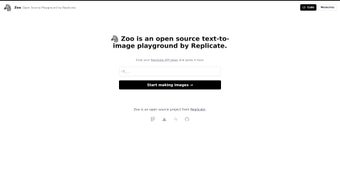

Download Zoo by Replicate – Open‑Source AI Image Generation Toolkit
Overview
Zoo by Replicate is a cutting‑edge, open‑source web application that puts AI‑driven text‑to‑image generation at your fingertips. Built for researchers, developers, and creative professionals, Zoo offers a single, dynamic playground where you can compare the performance of leading models such as Stable Diffusion, DALL‑E, and a growing roster of community‑contributed generators. The platform shines by allowing users to tweak model parameters in real time, experiment with advanced augmentation tools like Memorie and ControlNet, and visualize outcomes through X/Y plots that map image quality against computational cost.
All of this runs on a modern stack that includes a PostgreSQL database backed by Supabase, giving you reliable data storage and easy versioning of experiments. Because the source code lives on GitHub, you can clone, fork, or contribute to the project without any licensing hurdles, making Zoo an ideal sandbox for anyone looking to explore the capabilities—and limitations—of AI image synthesis. While the toolkit excels at generating photorealistic images and provides a clear comparative interface, it does have a narrower selection of models compared with some commercial platforms, and the depth of parameter control can be intimidating for newcomers.
Nevertheless, for anyone serious about evaluating AI models on concrete tasks, Zoo by Replicate is a free, secure, and highly extensible solution that bridges the gap between academic research and production‑grade experimentation.
The architecture of Zoo is deliberately modular. The front‑end is a responsive React‑based UI that communicates with a FastAPI back‑end running inside Docker containers. This separation allows you to run the heavy‑weight inference engines on a dedicated GPU server while still accessing the dashboard from any browser‑enabled device, be it a laptop, tablet, or even a low‑power workstation. By leveraging Supabase’s authentication and row‑level security, the platform can safely store API keys, prompt histories, and generated assets without exposing sensitive data to the public internet. Moreover, Zoo’s plugin system encourages community members to contribute new model adapters, post‑processing filters, or custom visualizations, ensuring the toolkit stays up‑to‑date with the rapidly evolving AI landscape.
Key Features of Zoo by Replicate
Zoo’s feature set is designed to satisfy both quick‑draw experiments and rigorous scientific studies. Whether you are drafting a single concept image for a marketing campaign or benchmarking dozens of model variations for a research paper, the toolbox provides the granularity and flexibility you need. Below you will find a detailed breakdown of each major capability, followed by a short narrative that explains how these features translate into real‑world productivity gains.
- Model Comparison Dashboard: Side‑by‑side rendering of multiple text‑to‑image models, enabling instant visual assessment of strengths and weaknesses.
- Parameter Tweaking Interface: Real‑time sliders for sampling steps, guidance scale, seed control, and more, giving you granular influence over output quality.
- Advanced Augmentation Tools: Integrated Memorie for memory‑based prompting and ControlNet for spatial conditioning, expanding creative possibilities.
- X/Y Plot Visualization: Plot model performance metrics (e.g., inference time vs. fidelity) on an interactive graph to spot trends at a glance.
- Open‑Source on GitHub: Full access to the codebase, issue tracker, and community contributions, ensuring transparency and extensibility.
- Supabase‑Powered Backend: PostgreSQL storage managed through Supabase, allowing you to save prompts, settings, and generated images for future reference.
- Docker‑Ready Deployment: One‑click Docker Compose files simplify local or cloud installation, reducing setup friction.
- Responsive Web UI: Clean, modern interface that works on desktop browsers and adapts to tablets, ensuring a smooth workflow regardless of device.
- Free & Secure: No hidden fees, and all communications are served over HTTPS, safeguarding your data and API keys.
- Extensible Plugin System: Developers can add new models or custom post‑processing steps via a simple plugin architecture.
Together, these capabilities make Zoo more than just a demo site; it becomes a full‑featured research platform. The ability to switch models on the fly, capture quantitative metrics, and store results in a centralized database means you can reproduce experiments, share findings with teammates, and even integrate the tool into larger CI/CD pipelines for automated model evaluation. The open‑source nature also guarantees that you are never locked into a proprietary ecosystem—if a new breakthrough model emerges, you can add it to Zoo with a few lines of YAML and start testing immediately.
Installation & Usage Instructions
Getting Zoo up and running is straightforward, thanks to its Docker‑first philosophy. Follow these steps to download, install, and start exploring AI image generation:
Prerequisites
- Docker Engine (version 20.10+)
- Docker Compose (version 2.0+)
- Git client (optional, for cloning the repository)
- A stable internet connection for pulling model weights
Step‑by‑Step Installation
- Clone the repository from GitHub:
git clone https://github.com/replicate/zoo.git && cd zoo
- Create a .env file with your Replicate API token and any optional Supabase credentials:
REPLICATE_API_TOKEN=your_token_here
SUPABASE_URL=https://your-supabase-url.supabase.co
SUPABASE_ANON_KEY=your_anon_key
- Start the containers using Docker Compose:
docker compose up -d
This command pulls the necessary images, launches a PostgreSQL instance, and starts the web server onhttp://localhost:3000. - Access the UI in your browser. The dashboard will display a default set of models (Stable Diffusion, DALL‑E mini, etc.).
- Add new models by editing
models.yamland re‑runningdocker compose restart app.The system will automatically download model weights from Replicate’s model hub.
Basic Workflow
Once the interface loads, you’ll see a text box for your prompt, a dropdown to select the active model, and a series of sliders for key parameters. Enter a descriptive prompt (e.g., “a futuristic city at sunset, hyper‑realistic”), choose a model, and adjust the guidance scale to balance creativity versus fidelity. Click Generate and watch the image appear in the preview pane.
For comparative studies, select multiple models, enable the “Compare” toggle, and the UI will render each result side by side, automatically logging the generation time and seed values.

      Advanced users can explore the Memorie tab to store and recall contextual embeddings, or switch to the ControlNet panel to upload a sketch that guides the composition. All experiments are saved to the Supabase backend, where you can filter past runs by model, date, or custom tags. Export options include downloading individual PNGs or a CSV report summarizing the metrics for an entire batch.


      The learning curve is gentle for simple prompts, but the true power of Zoo emerges when you start scripting batch jobs via the provided Python client. This allows you to programmatically iterate over hundreds of prompts, capture results, and feed them into downstream analytics pipelines.
Compatibility, Pros & Cons
Zoo is a web‑based application, so it runs on any operating system that can host Docker containers—Windows 10/11, macOS (Intel or Apple Silicon), and most Linux distributions. The UI is browser‑agnostic; Chrome, Firefox, Edge, and Safari all render the dashboard correctly. Because the heavy lifting (model inference) occurs inside the Docker containers, your host OS only needs to provide enough CPU/GPU resources and storage for model weights (typically 5‑10 GB per model).
When evaluating compatibility, keep in mind that GPU acceleration dramatically improves generation speed. On Windows, you can leverage NVIDIA Docker runtime; on macOS, Apple’s Metal support is still experimental, so CPU‑only inference may be slower. Linux users often enjoy the most mature driver stack, especially when using NVIDIA’s CUDA toolkit. Regardless of platform, the Docker‑based approach guarantees that the same software stack runs everywhere, eliminating “it works on my machine” problems.
Pros
- Free and Open‑Source: No subscription fees; you can modify the code to fit any workflow.
- Comprehensive Model Comparison: Instantly see how different generators perform on identical prompts.
- Rich Parameter Controls: Fine‑tune sampling steps, guidance, seed, and more without leaving the UI.
- Advanced Tools Integrated: Memorie and ControlNet add depth to creative experiments.
- Scalable Backend: Supabase + PostgreSQL ensures data persistence and easy scaling to larger research teams.
- Docker‑First Deployment: Consistent environments across Windows, macOS, and Linux.
- Secure Communication: All traffic encrypted via HTTPS, protecting API keys and generated assets.
Cons
- Limited Model Library Out‑of‑the‑Box: Only a handful of models are pre‑configured; adding new ones requires manual YAML edits.
- Steep Parameter Landscape: New users may feel overwhelmed by the sheer number of sliders and options.
- GPU Dependency for Speed: Without a dedicated GPU, generation can be slow, especially for larger models.
- No Built‑In Monetization: The free nature means there’s no official support channel beyond community forums.
- Complexity of Docker Setup: Users unfamiliar with containers might encounter initial hurdles.
Overall, the advantages of a fully transparent, extensible platform outweigh the initial setup friction for most professionals. By investing a little time in configuring Docker and familiarizing yourself with the parameter space, you unlock a powerful environment that can scale from hobbyist experimentation to enterprise‑grade research.
Overall Rating: 4/5 – Zoo by Replicate delivers a powerful, research‑grade environment for AI image generation, though its advanced feature set may require a learning curve for casual users.
FAQ & Final Thoughts
Is Zoo by Replicate truly free to use?
Yes. The software is released under an MIT license and can be downloaded, modified, and deployed without any licensing fees. You only pay for the underlying cloud or hardware resources you use (e.g., GPU time).
Can I run Zoo on a Windows PC without Docker?
While Docker provides the most reliable environment, you can run the Python backend directly if you install the required dependencies manually. However, the official documentation recommends Docker for consistency across platforms.
How do I add a new text‑to‑image model to the toolkit?
Create an entry in the models.yaml file with the model’s Replicate ID, specify any required environment variables, and restart the Docker container. The UI will automatically detect the new model and make it selectable.
Does Zoo support batch processing of prompts?
Yes. The repository includes a Python client library that can read a CSV of prompts, iterate over selected models, and store results in Supabase. This is ideal for large‑scale experiments or dataset creation.
What security measures protect my API keys?
API keys are stored encrypted in Supabase’s secure storage and never transmitted to the client side. All HTTP requests are forced over TLS (HTTPS), and Docker isolates the inference processes from the host OS, reducing attack surface.
Conclusion
Zoo by Replicate stands out as one of the most versatile, community‑driven platforms for text‑to‑image generation today. Its blend of model‑agnostic comparison, fine‑grained control, and built‑in analytics makes it suitable for a wide range of tasks—from rapid concept sketches to rigorous benchmark studies. Because the entire stack is open‑source and containerized, you gain reproducibility, portability, and the freedom to evolve the tool alongside the fast‑moving field of generative AI. If you are looking for a cost‑effective way to evaluate multiple generators, capture quantitative metrics, and collaborate with teammates in a secure environment, Zoo provides a ready‑made foundation that you can extend indefinitely.
Ready to try it out? The installation steps above will have you up and running in minutes, and the extensive feature list ensures you won’t outgrow the platform as your projects become more ambitious. Dive in, experiment, and share your discoveries with the vibrant Replicate community.
Ready to start creating? Click the link below to clone the repository, spin up the Docker environment, and begin generating stunning AI‑driven visuals today.






